With the release of v3.2, Notewise AI brings you Audio Transcription. This powerful feature automatically converts your voice recordings into text, allowing you to turn lectures, meetings, and memos into usable text content.
How does it work?
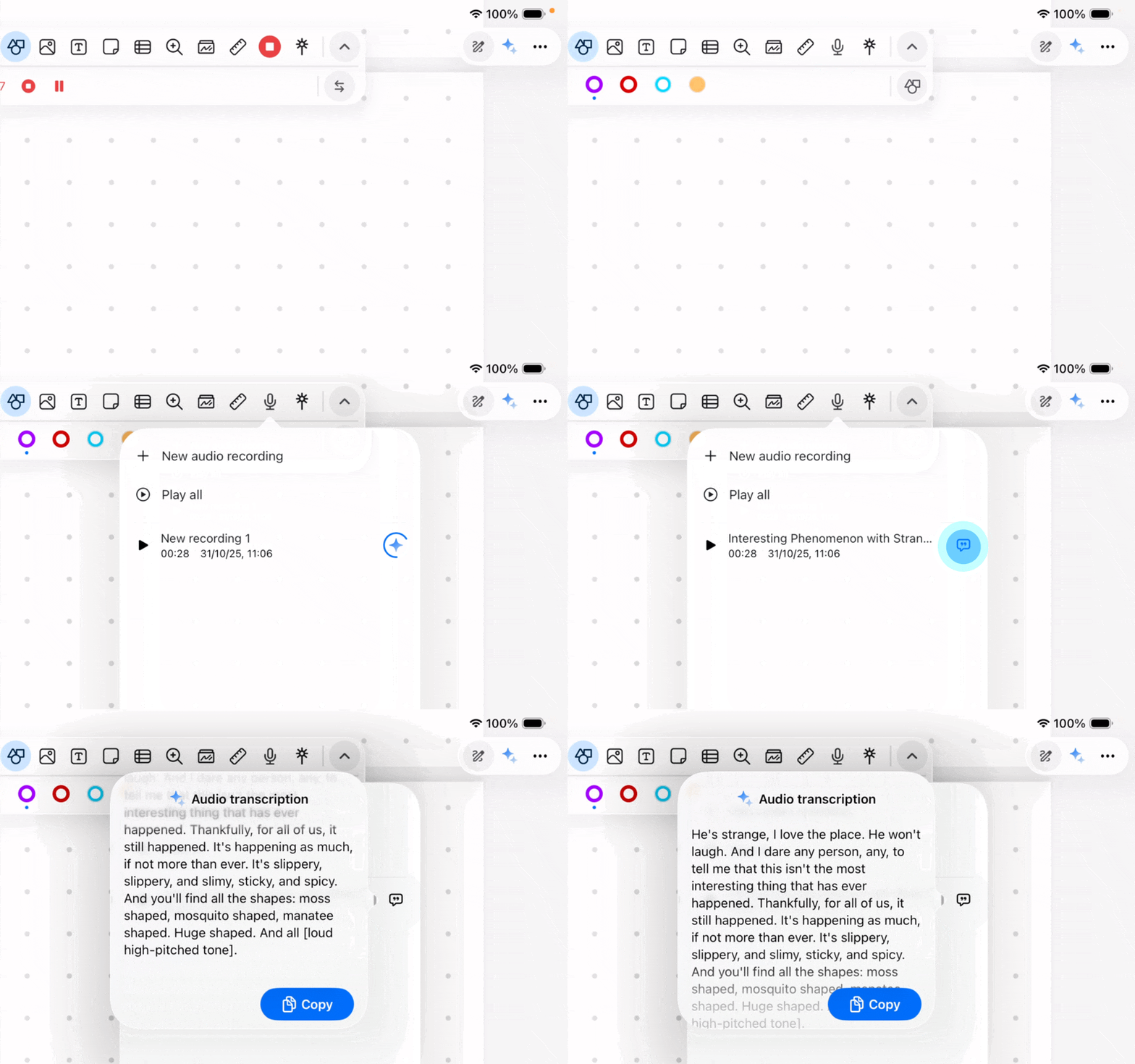
Audio Transcription in Notewise is designed to be seamless and automatic.
Record: Start a new audio recording within your note as usual.
Process: Once you finish and stop the recording, Notewise will automatically begin processing the audio data.
View: Once the transcription is complete, the text will be available for you to view immediately.
What can I do with the transcript?
Once your audio is converted to text, you can use it to enhance your note-taking workflow:
Copy to Note: You can copy the transcribed text and paste it directly into your note pages to edit, highlight, or organize.
Interact with Notewise AI (Chatbot): You can open the Chatbot and ask questions based on the transcribed content. For example, you can ask the AI to:
"Summarize this meeting."
"List the key takeaways from this lecture."
"What was mentioned about the project deadline?"
Requirements & Availability
Internet Connection: An active internet connection is required for the transcription process to start working.
Plan Eligibility: This feature is available exclusively for Notewise Starter and Notewise Pro users.